

Write NVIDIA CUDA kernels in pure Rust without unsafe FFI or C++ bindings. Learn how the experimental CUDA-Oxide compiler emits PTX directly from safe(ish) Rust code.
You love Rust’s safety guarantees, but writing GPU kernels for NVIDIA hardware has meant dropping down to C++ with all its dangling pointers and data races. What if you could write CUDA kernels directly in Rust—no bindings, no separate DSLs, and still keep most of the safety you rely on?
This post introduces a practical path to do exactly that. You’ll learn how an experimental compiler from NVIDIA Labs, CUDA-Oxide, lets you write SIMT GPU kernels in native Rust and emit PTX directly. By the end, you’ll have concrete steps to try this approach in your own projects.
Why Traditional CUDA + Rust Interop Falls Short
When you need GPU acceleration in a Rust application, the standard approach is to write your kernels in CUDA C++, then wrap them with extern "C" bindings and unsafe FFI calls. This works, but it introduces two major pain points.
First, you lose Rust’s compile-time checks across the language boundary. A memory error in your CUDA kernel can corrupt host-side data without any warning from the compiler. Second, maintaining separate CUDA and Rust codebases slows down iteration—every kernel change requires recompiling two toolchains.
Real‑life scenario: Imagine you are building a fluid simulation. You write a kernel to update particle velocities.
One day, a kernel accidentally writes past its allocated buffer. In a mixed C++/Rust setup, that bug might crash only after hours of simulation, with no clear stack trace. CUDA-Oxide aims to catch such errors earlier by keeping everything inside Rust .
To deepen knowledge
CUDA by Example: An Introduction to General-Purpose GPU Programming (adversiting) https://amzn.to/4nhqKeN
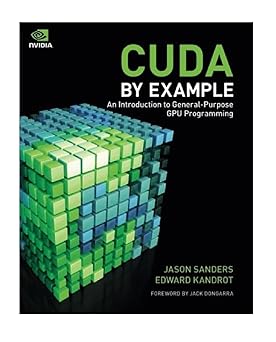
Why this matter:
This book matter for understand the value of CUDA-Oxide, it is helpful to know the fundamentals of traditional CUDA.
This post contains affiliate links. We may earn a commission on qualifying purchases.
How CUDA-Oxide Changes the Game
CUDA-Oxide is an experimental compiler that takes standard Rust code and compiles it directly to NVIDIA PTX (the intermediate language for CUDA). The key difference is single‑source compilation: your kernel and your host code live in the same Rust file, using the same rustc‑based backend.
There are no external DSLs, no custom syntax, and no foreign function bindings. You write a function annotated as a kernel, and CUDA-Oxide transforms it into GPU‑ready PTX. This means you can reuse Rust’s type system, ownership model, and even generic abstractions inside your kernels.
Why it matters: You now get compiler‑enforced memory safety even for GPU code. For example, the borrow checker prevents you from holding multiple mutable references to the same GPU buffer—a common source of data races in manual CUDA kernels.
The “Safe(ish)” Approach to SIMT Programming
CUDA-Oxide doesn’t claim to be fully safe yet—it’s an alpha project. But it introduces several safety rails that typical CUDA C++ lacks:
Bounds checking on slice accesses (can be disabled for performance when you prove correctness).
No raw pointers in the public API unless you opt into unsafe blocks.
Type‑safe grid/block dimensions that prevent common launch‑configuration mistakes.
For example, a vector addition kernel in CUDA‑Oxide looks almost identical to a CPU Rust function, but with a #[kernel] attribute. You pass slices, and the compiler handles the SIMT threading model behind the scenes.
Concrete scenario: Suppose you mistakenly index a buffer with thread_id + 1 that exceeds the buffer length. In CUDA C++, this silently corrupts memory. In CUDA-Oxide, the kernel will panic or return a Result—still not perfect, but far more debuggable.
Three Steps to Try CUDA-Oxide Today
Because the project is early (expect breaking changes), you should test it in a sandbox environment first. But if you’re curious, here’s how to get started:
Install the rusc compiler backend
Clone the CUDA-Oxide repository from NVIDIA’s GitHub lab. Follow the build instructions to compile the custom rusc tool (it works alongside your normal rustc).
Write a simple kernel
Create a new Rust binary crate. Add the CUDA‑Oxide attribute macros. Write a kernel that adds two vectors element‑wise, using safe slices and for loops over the thread index.
Compile to PTX and launch
Run rusc --emit=ptx your_kernel.rs. Load the generated .ptx file in your CUDA runtime (or use the provided host runtime in the CUDA‑Oxide repo). Verify the output against a CPU implementation.
Pro tip: Start with very small grid sizes (e.g., 1 block × 32 threads) so you can single‑step with debug prints using the host‑side emulation mode.
What to Keep in Mind Before Adopting It
CUDA-Oxide is still experimental. Not every Rust feature is supported (for instance, panic handling and some trait objects are incomplete).
The performance may not yet match hand‑tuned CUDA C++ for memory‑intensive workloads. And because it’s a young project, you should not use it in production without thorough testing.
That said, the direction is promising. For prototyping, research, or any project where safety and maintainability trump peak performance, CUDA-Oxide offers a much smoother path than traditional interop.
To deepen knowledge
The Rust Programming Language" (2ª Ed.) (adversiting) https://amzn.to/4njnXkY

Why this matter?: Ideal as an introduction for those starting out with Rust. Present it as the ultimate tool for mastering the language.
This post contains affiliate links. We may earn a commission on qualifying purchases.
Write Safer Kernels, One Step at a Time
You no longer have to accept unsafe C++ as the only way to program NVIDIA GPUs. With CUDA-Oxide, you can write CUDA kernels in pure Rust, keep the borrow checker on your side, and avoid fragile FFI layers.
The project is open for feedback, and the team at NVIDIA Labs actively encourages early adopters. Try the three steps above this week—even just compiling a trivial kernel will show you how different the experience feels. Then share your results or pain points with the community. The more people experiment, the faster this tool will mature.
Ready to give it a shot? Head to the NVIDIA Labs GitHub repository and run the quickstart example. Your future self (and your debugging sessions) will thank you.
Nenhum comentário:
Postar um comentário